dada7 APK: start playing right from your phone's home screen
Install our Android app once and you never have to hunt for a browser again. The file is 58 MB, runs on Android 8.0 or later, and the download is completely free. Tap the button below and the file starts downloading straight away.
- SSL encryption
- Android 8.0+
- 24/7 live chat
- 18+ · Responsible gaming
The dada7 app: file, version and which phones it runs on
The button below and the one on the home screen both pull down the same file. Before you install, keep at least 150 MB free in your phone's storage settings, because once the file lands the phone unpacks it by itself.
dada7.apk · 58 MB
Same file, same version. No extra installer or store account needed.
| Item | Details |
|---|---|
| App name | dada7 APK |
| Version | 2.0.20 |
| File size | 58 MB |
| Minimum Android | 8.0 (Oreo) or later |
| Last updated | 17 November 2026 |
| Languages | Bangla / English |
| Cost | Free |
| File name | dada7.apk |
The file won't run on iPhone, so here's another route
You can't install an Android file on an iPhone or iPad. iOS users can open the site in Safari and drop a shortcut on the home screen — it looks and feels almost like an app.
- Open dada7.live in SafariNot Chrome — on iOS, Safari is the easiest way to add a shortcut.
- Tap the share icon at the bottomIt's the square icon sitting in the middle of the bottom of the screen.
- Choose “Add to Home Screen”Scroll the list down a little and you'll spot the option.
- Give it a name and tap AddThe icon lands on your home screen and opens the lobby in one tap.
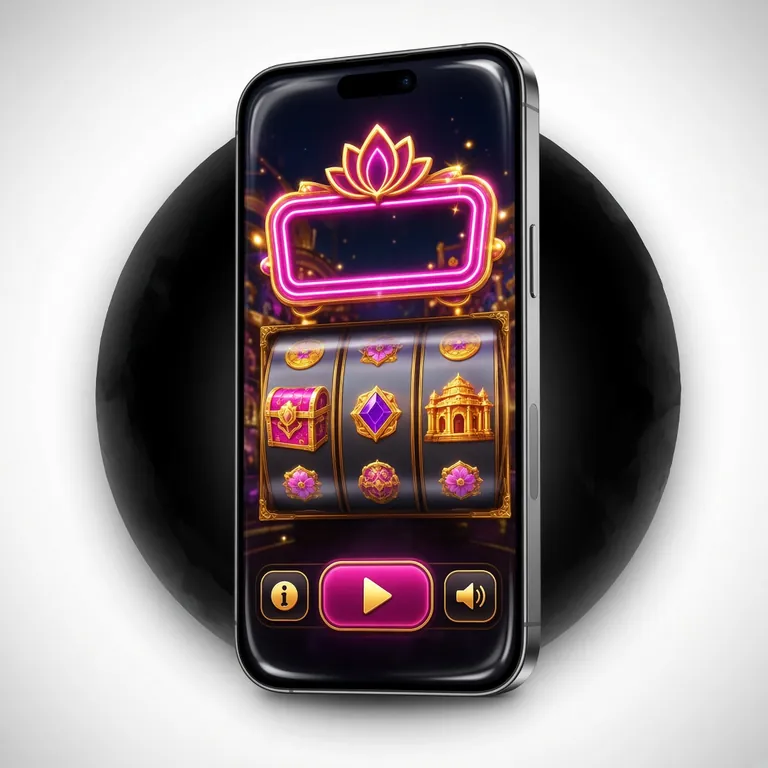

- The whole lobby is laid out for phone screens: even on a small display, game names and buttons are easy to tell apart.
- Two taps to play: pick a game from the lobby and you're straight in.
- Wallet right there: balance and deposit-withdraw pages sit in the bottom bar, so you never leave your game to check your money.
- QR scan: to move the file from your computer to your phone, scan the code on the right.
Scanning the code opens the same download link — not a separate file.
Install steps: from permissions to first login
Android phones usually block files from outside Google Play by default, so you have to grant one permission before installing. Everything else is normal. The five steps below are laid out in order.
-
Allow installs from unknown sources
Go to Settings → Apps → Special access → Install unknown apps, then enable “Allow from this source” for whichever app opens the file (usually Chrome or Files).
-
Download the APK file
Grab the 58 MB file using the button on this page. Wi-Fi is best — on mobile data it can take a few minutes.
-
Open the file and install it
Tap dada7.apk from the notification panel or your Downloads folder and “Install” appears at the bottom. Some phones show a scan warning first — that's only a warning.
-
Create an account or log in
When the app opens, log in to your existing account from the login page. New here? The registration form takes two minutes with your mobile number.
-
Set up notifications and updates
It asks for notification permission the first time you open it. Tap Allow if you want bonus and match alerts; skip it and the app still runs fine.
What you'll use every day in the app
After downloading, most people do three things: check the balance, add money and pick a game. The app is built around those three steps.

-
Quick login
Once you're logged in, the app remembers you. Next time use your phone PIN or fingerprint — no password typing every visit.
-
Deposit and withdraw inside the app
bKash, Nagad, Rocket, Upay and bank transfer — all from the wallet page. Deposits usually land in 3 minutes; withdrawals process within 23 minutes.
-
Live tables and sports in one place
The casino section and match markets share one app. Switch tabs instead of leaving the game.
-
Push notifications
New bonuses, tournaments and pre-match alerts come straight to you. If it gets annoying, one switch in your phone settings turns it off.
-
Less data, less battery
Graphics load to fit your phone's screen, so the lobby opens fast even on a slow connection.
-
4,200+ games in one place
Games from Red Tiger, Playtech, JILI, PG Soft, Spribe, Habanero and Sexy Gaming sit in the same lobby — no hunting around separately.
App or browser: which one suits you
Same account, same balance on both. The difference is how you open it and how much room it takes on your phone. Decide from the list below — both columns are true; neither is “better”, it's about habit.
| Item | dada7 APK | Browser version |
|---|---|---|
| Opening speed | Tap the icon and land straight in the lobby | You have to type the address every time you open the browser |
| Data use | Compressed pages, so regular play eats less data | The browser keeps a cache, but there are more ad scripts |
| Staying informed | Bonus and match push notifications come through | If you don't open the site, you know nothing |
| Installation | 58 MB file, needs Android 8.0+ | Nothing to install |
| Updates | You download the file again when a new version lands | New versions load on their own |
| Who it suits | Those who play from their phone almost every day | Play now and then, with little space on the phone |
If phone space is tight, the browser is the better fit. If you log in daily, the app saves you a few seconds each time.
Stuck on install: five common reasons
Most problems come from your phone's settings or an incomplete download, not from a corrupted file. The table below lists each problem with its cause and fix.
| Problem | Cause | Fix |
|---|---|---|
| “Install blocked” or app blocked | Unknown sources permission is turned off on your phone | Go to Settings → Apps → Special access → Install unknown apps and allow your browser, then tap Install again |
| “Parse error” or package not parsed | The file downloaded halfway, or Android version is below 8.0 | Delete the file and download the full 58 MB again; if it still fails, check your phone's Android version |
| “Insufficient storage” | Not enough free space to install | Free up at least 150 MB by clearing old photos or cache |
| File won't download | Slow mobile data or a browser block | Switch to Wi-Fi and try again, or open the link in another browser |
| Installed but the app won't open | Old version data or cache is stuck | Go to Settings → Apps → dada7 → Storage and tap Clear cache; if that doesn't work, uninstall and install again |
If it still doesn't work, message our 24/7 live chat with your phone model and Android version for a quick reply.
What permissions the app asks for and why
When installing the file, Android shows a few permissions. Each one has a specific reason, and all of them can be switched off from your phone's settings.
-
Internet access
Needed to connect to game servers, your balance and live tables. Without it, the app opens but nothing loads.
Can't be switched off, but you can keep Data Saver on -
Storage
Needed to save downloaded files and app updates on your phone. We don't read your photos or other documents.
Can be turned off in Settings → Apps → dada7 → Permissions -
Notifications
Used to send bonus alerts, withdrawal status and match start news. If you prefer, you can set quiet hours only.
Turned off with one switch in your phone's notification settings -
Biometrics
Needed if you want to log in quickly with fingerprint or face. If you don't allow it, you can still log in with your password.
Has its own switch in the app's security settings
Only get the file from our site
Fake APKs are used to steal account details. So always download the file from dada7.live and check that the size is 58 MB before downloading. Don't install files sent by strangers on Telegram or Facebook, even if they use an admin's name.
Never give your password to anyone at login. Our team never asks for SMS codes or one-time passwords on your phone.
Most asked questions
Is the dada7 APK file safe?
The file comes from our own server and the link is secured with https. The scan warning Android shows during install appears for every file from outside Play Store. Still, keep Play Protect on in your phone settings and don't download files from any other site.
It says the app is blocked during install — what should I do?
That's a phone security setting, not a file problem. Go to Settings → Apps → Special access → Install unknown apps and allow the app you're opening the file with (Chrome or Files). Then open the file again from Downloads and the Install button will be active.
What does “problem parsing the package” mean?
Usually the file didn't download fully, so the phone can't read it. Delete the file and download the full 58 MB again — don't close the browser midway. The second reason could be that your phone's Android version is below 8.0, so check that too.
How do I update the app to the new version?
The app isn't on the Play Store, so it doesn't update on its own. When a new version drops, the file date and version number on this page change. Installing the new APK over the old one keeps your account and balance intact, with no need to uninstall first.
Can I deposit and withdraw straight from the app?
Yes. From the wallet page you can deposit through bKash, Nagad, Rocket, Upay or bank transfer, from ৳100 upwards. The minimum withdrawal is ৳900, and the money usually lands in about 23 minutes. Before your first withdrawal you need to activate the account once with your ID documents.
Will this APK file work on an iPhone?
No. APK files are built for Android only, and iOS won't recognise them. On an iPhone, open the site in Safari and pick “Add to Home Screen” from the Share menu — you'll get an icon on your home screen that opens the lobby in one tap and looks much like an app.
Download finished? Log in to your dada7 account and pick a game from the lobby, or open a new account and grab the first-deposit offer.